











The Helabet mobile application brings the complete betting experience to your smartphone. Tanzanian players can access sports betting, live matches, casino games, and account management without opening a browser. The application is designed for mobile networks across Tanzania and can be useful when you want the main betting tools in one place.
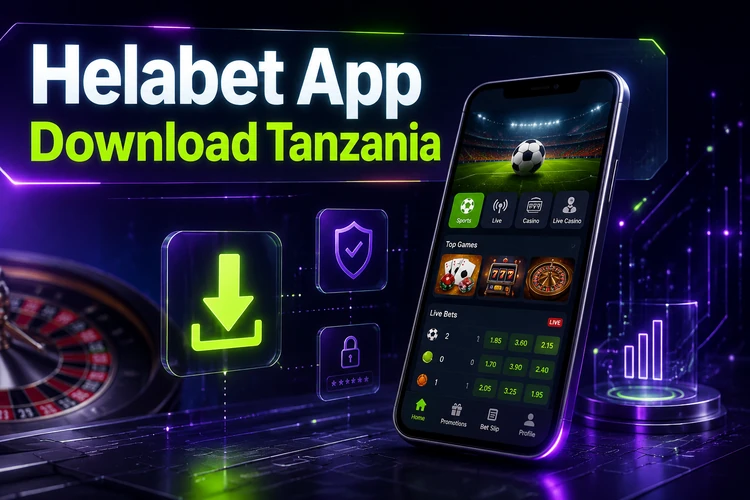
Many bettors prefer a dedicated application because it keeps the account interface close at hand and reduces the number of browser steps needed to place a bet or review activity. Depending on the device and connection, it may also use data efficiently. You can deposit funds, request withdrawals, and check betting history from the account area, but payment processing times and available methods depend on the options shown in your account.
Main Features of the Application
The Helabet application adapts the betting platform for a smaller touch screen. You can browse sports markets, check live scores, and place single or combined bets. Review every selection on the betting slip before confirming, since live odds and market availability can change while a match is in progress.

The casino section includes slots, table games, and Aviator, as described in the platform interface. You can move between sports and casino areas without closing the application. Notifications may show settlement updates, promotional information, or match reminders if those alerts are enabled on your phone. Bet records and transaction history are available through the account menu. For help, use the support channel provided on the platform rather than sharing your password with another person.
How to Download the Helabet Application
Use the official Helabet Tanzania website as the starting point for the download. Open the site in a mobile browser and look for the application section or download button displayed there. Check the page address carefully before downloading, and do not rely on APK files shared through social media, messaging groups, or file-sharing pages.
Before starting the download, make sure the phone has enough free storage and a stable connection. Android devices should meet the minimum version stated on the official download page; the draft requirements indicate Android 5.0 or later and about 100 MB of available space. Requirements can change, so the current information on the download page takes priority. Avoid interrupting the transfer, particularly on an unstable 3G connection, because an incomplete file may appear to download successfully.
Installing the APK on Android
APK is the standard file format used to install an Android application outside an app store. Android normally blocks this process until you give the browser or file manager permission to install an external package. On newer versions, the permission is usually granted to one specific source rather than enabled for every application.
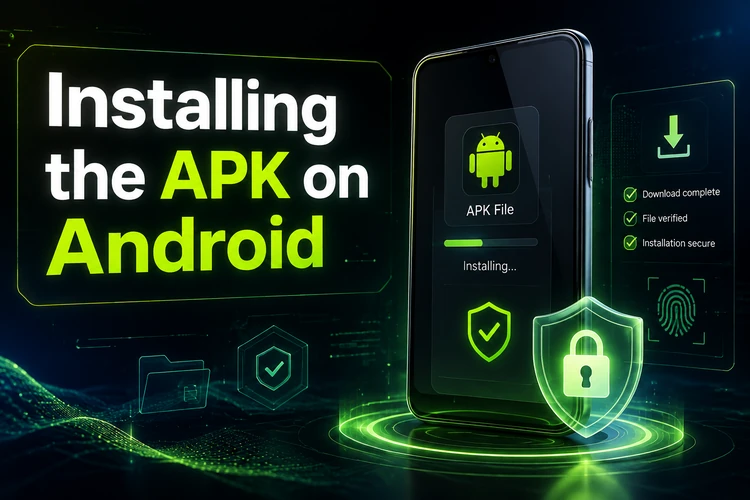
After the download finishes, open Settings and look under Security, Privacy, or Apps for Install unknown apps. Allow the browser or file manager that will open the APK to install it. Then locate the file in the Downloads folder, tap it, review the requested permissions, and confirm the installation. If the permissions seem excessive or the file name is unexpected, cancel and return to the official source.
When installation is complete, an icon should appear in the app drawer. Open it and log in with your account. New users should follow the registration process shown on the platform. Use a private connection where possible, keep the phone’s screen lock active, and never give your login code to someone offering technical help.
Using Helabet on iPhone
At present, the draft information states that Helabet does not offer a native application in the Apple App Store for Tanzania. iPhone users can instead open the mobile website through Safari or another supported browser. This avoids installing an APK, which is not compatible with iOS, and keeps access within the normal browser security model.
For quicker access, open the site in Safari, tap the share icon, and choose Add to Home Screen. The resulting shortcut opens the mobile site like a regular home-screen entry. Keep iOS and the browser updated, and use the official site rather than an unknown configuration profile or an unofficial download. If a page asks you to install a profile before granting access, close it and verify the source.
Updating the Application
Updates can fix bugs, improve compatibility, and change how some features work. Because the APK is not updated through the Apple App Store or necessarily through Google Play, check the official Helabet site when the application displays an update notice or begins behaving unexpectedly. Compare the installed version shown in the app settings with the version offered on the official download page.
To update, save any unfinished betting information, download the newer APK, and install it over the existing Android version. In most cases, this preserves the installed application data, but you should know your login details before beginning. If the update fails, do not repeatedly open several downloaded files; delete the incomplete copy, confirm available storage, and download one fresh file.
Common Installation Problems and Solutions
If the APK refuses to install, confirm that installation permission is enabled for the browser or file manager you used. Also check whether an older version is already installed, whether the file finished downloading, and whether the Android version meets the stated requirement. Restarting the phone after changing the permission can resolve a temporary system issue.
When the download fails or the file appears corrupted, clear the browser’s temporary cache and try again on a stronger connection. Free additional storage by removing unused files, but avoid deleting account information unless you have confirmed that your login details are available. A warning about a package conflict can mean that an older installation needs to be removed before the new one is accepted.
If the application installs but closes immediately, restart the device, close other demanding applications, and check for system updates. Persistent crashes may result from incompatibility, insufficient memory, or a damaged download. If you uninstall an older version, download a new copy from the official source rather than reusing the same file.

Login issues after installation usually relate to an incorrect password, a locked account, or a connection problem. Check that the keyboard has not changed the character case, use the password recovery option if needed, and contact support through the contact page if access remains blocked. Keep betting activity within the rules that apply in Tanzania, and remember that the platform is for users aged 18+.
FAQ
Use the Helabet Tanzania website on a mobile browser and open its application or download section. Download only the file provided there, and avoid APKs shared by third parties so that you do not install a modified or unsafe package.
An APK should be obtained from the official Helabet domain and checked before installation. Keep Android security features active, review the permissions requested, and do not install a file from an unknown website or message.
The draft information states that a native iOS application is not currently offered in the Apple App Store for Tanzania. iPhone users can open the mobile website in Safari and add a shortcut to the home screen for easier access.
Check the version shown in the installed application against the version on the official download page. If a newer APK is available, download it from that source and install it over the existing Android application. Make sure you know your login details first.
Check the permission for installing unknown apps, available storage, the Android version, and whether the download completed correctly. If an old version causes a package conflict, remove it only after confirming that you can log in again, then download a fresh file.
No. Existing customers can log in with their current account details. New users can follow the registration process shown on the platform. Use the same personal information and keep the account credentials private.