











Managing your betting account starts with understanding how payments work. Players in Tanzania need to know how to add funds, request payouts, and handle issues that may delay transactions. Helabet provides payment channels for the local market, but each method has its own requirements and processing steps. This guide covers the path from a first deposit to checking a withdrawal and resolving common errors.
Payment security matters as much as convenience. Checking the recipient number, available balance, verification status, and transaction details before confirming can prevent avoidable rejections. Keep your Mobile Money PIN private and use only official account pages or support channels when you need help.
Everything You Need to Know About Helabet Payments
The payment system handles three main operations: adding funds to your wallet, requesting a payout, and using the early Cash Out feature on eligible active bets. Available methods can depend on your account, location, and the options currently shown in the cashier. In Tanzania, Mobile Money is commonly used because it is accessible through a phone without requiring a bank card.
Before moving money out, your account may need identity verification. Registration alone may not be enough for a withdrawal, particularly for a first payout or an account selected for a security review. Deposits and withdrawals should be made with payment details that belong to the verified account holder. Promotional funds can also have wagering conditions, so a displayed balance may not all be immediately withdrawable.
Your transaction history is useful for checking the amount, date, payment method, and current status of each operation. Review it after a successful deposit and again after submitting a payout request. This can reveal a duplicate attempt, a reversed payment, or a pending request that requires support attention.
How to Deposit on Helabet
To make a deposit, log in to your account and open the wallet or cashier area. Select the deposit option and review the payment methods shown for your account. The available list may change, so rely on the options displayed on the official page rather than an old screenshot or message from another person.
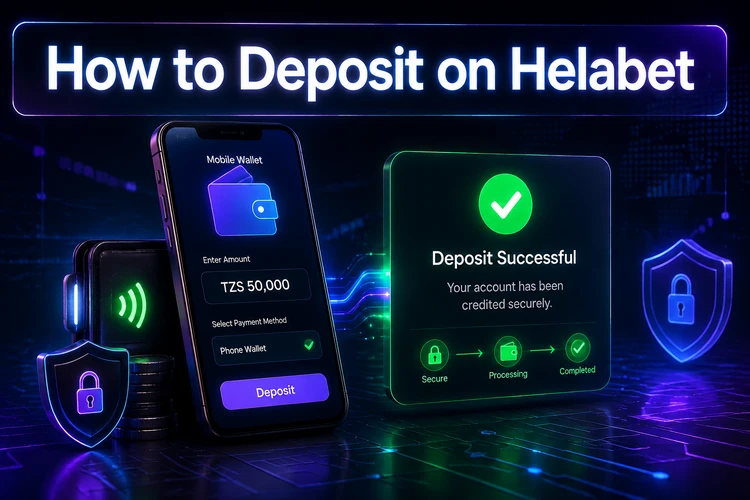
Choose a Mobile Money provider, enter the amount, and check every digit before continuing. The next screen may request confirmation through a USSD prompt or another phone-based approval step. Authorise the payment on your own device with your Mobile Money PIN. Never share that PIN with a support agent or anyone claiming to process the deposit for you.
After approval, check the wallet balance and transaction history. If the balance does not update, do not immediately repeat the payment. First confirm whether the amount left your Mobile Money account. A second attempt could create a duplicate debit if the first transaction is still being processed. Save the transaction reference until the balance is correct.
Common Deposit Mistakes
Typing the wrong amount is a frequent cause of failed or unexpected deposits. Confirm the amount before authorisation and make sure the wallet has enough funds for any provider charge shown during the transaction. A failed payment may appear as pending in the Mobile Money account before it is reversed.
Using another person’s wallet can create problems later, even if the deposit succeeds. The name and payment details should match the verified betting account. If a payment is unsuccessful, record the time, amount, provider, and reference instead of making repeated attempts without checking the first status.
Jinsi ya Kuweka Hela Helabet
Ingia kwenye akaunti yako na ufungue sehemu ya wallet au pochi. Chagua deposit, kisha chagua njia ya malipo inayopatikana kama M-Pesa au Airtel Money. Weka kiasi kwa usahihi na thibitisha maelezo. Ujumbe wa USSD unaweza kutumwa kwenye simu yako; ingiza PIN yako ya Mobile Money kwa siri ili kuidhinisha malipo. Baada ya hapo, angalia salio na historia ya muamala kabla ya kujaribu tena.
Payment Methods Available in Tanzania
The cashier may show major Tanzanian Mobile Money providers, including M-Pesa, Airtel Money, Tigo Pesa, and HaloPesa. Availability for deposits and withdrawals is not necessarily identical for every account, so check the current options before selecting a method. The table below describes the usual role of each channel without promising a particular fee, limit, or processing time.
| Payment Method | Deposit | Withdrawal | Verification Required | Notes |
|---|---|---|---|---|
| M-Pesa | Shown if available | Shown if available | May be required | Check the registered number carefully |
| Airtel Money | Shown if available | Shown if available | May be required | Confirm the provider before approval |
| Tigo Pesa | Shown if available | Shown if available | May be required | Network availability can affect processing |
| HaloPesa | Shown if available | Shown if available | May be required | Use an account belonging to you |
Mobile Money is convenient, but it still depends on network availability, wallet status, and correct account information. Do not assume that a provider shown for deposits will also be enabled for withdrawals. The safest approach is to choose from the withdrawal methods displayed in your own cashier and retain the confirmation reference.
How to Withdraw Money from Helabet
Before requesting a payout, check whether your identity verification is complete and whether any bonus conditions affect the withdrawable balance. If documents are requested, submit them through the official account process and make sure images are clear, current, and consistent with your profile details.
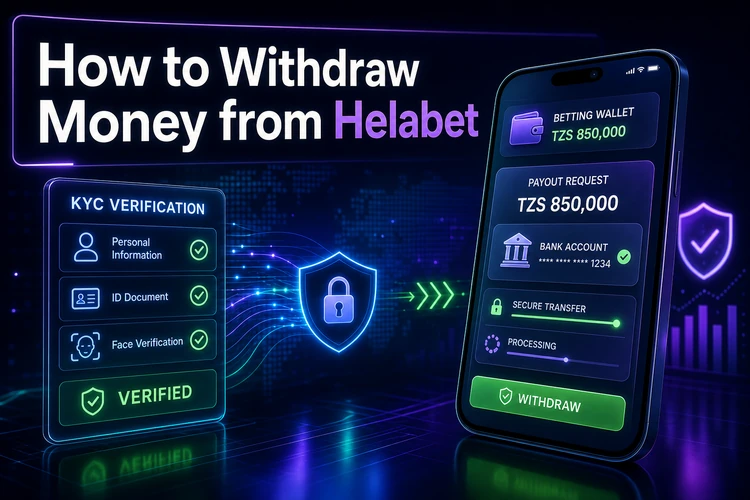
Open the wallet, select withdrawal, and choose an available payout method. Enter the amount and the correct Mobile Money number, then read the confirmation screen carefully before submitting. If the platform directs funds to a particular method or requires a prior deposit through that method, follow the instruction shown in your account.
After submission, monitor the request in transaction history. A pending status does not necessarily mean the payment has failed; it may indicate verification or payment processing. Keep the request ID, amount, and submission time. These details allow support to investigate the correct transaction rather than asking you to repeat the process.
Withdrawal checklist
- Identity verification is complete or no document request is outstanding.
- The withdrawal amount is available and not restricted by bonus terms.
- The payment number belongs to you and matches your account details.
- The provider selected is currently enabled in the cashier.
- The amount and recipient details have been checked before confirmation.
- The transaction reference has been saved after submission.
Helabet Withdrawal Time
Processing time depends on internal checks, verification status, the selected payment provider, network conditions, and whether the request is made during a weekend or public holiday. Larger or unusual transactions may receive additional review. For that reason, an exact payout promise should not be assumed unless it is shown in the account or confirmed by official support.
Mobile Money processing may be quick after approval, but a delay can occur before approval is completed. Check the transaction status first, then confirm that your documents and recipient number are correct. Avoid cancelling and resubmitting repeatedly, as multiple requests can make the account history harder to review.
Helabet Cash Out
Cash Out settles an eligible active bet before the event finishes. It is different from a normal withdrawal: the amount is calculated from the current market situation and is returned to the betting wallet, rather than sent directly to a Mobile Money account.
Eligibility depends on the sport, market, bet status, and live odds. The option can disappear temporarily when odds are changing quickly or when the market is suspended. Open active bets, review the amount offered, and confirm only if it suits your decision. The offer can change before acceptance, and using Cash Out may produce less than the original potential return.
Solving Helabet Withdrawal Problems
A pending payout may be linked to incomplete verification, a mismatch in payment details, bonus conditions, or a routine security check. Review the account and transaction status before contacting support. If the request was rejected, read the reason shown rather than submitting the same request again.
A wrong Mobile Money number can cause a failed payment or a return of funds to the betting wallet. If you used another person’s payment account, stop making further requests and contact official support with the transaction reference. Payment providers can also experience outages or delayed confirmations, so compare the betting wallet status with your Mobile Money history.
When reporting a problem, include the date, amount, provider, reference number, and a screenshot that does not expose your PIN or password. Do not send full login credentials. This gives support enough information to trace the transaction while protecting your account.
Safe Payment Practices
Use only personal payment credentials and keep your account password unique. Enable two-factor authentication if it is available, and protect the phone and SIM used for Mobile Money. Never disclose a PIN, password, or one-time verification code to a third party.
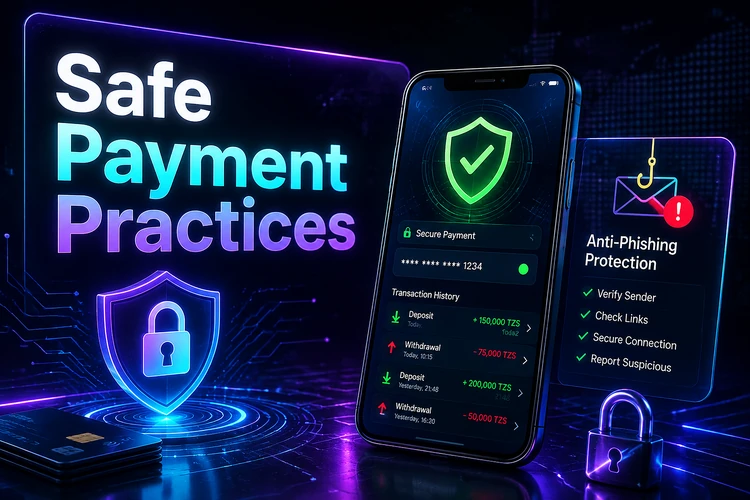
Review transaction history regularly and act quickly if you see an unfamiliar operation. Avoid making deposits over public Wi-Fi, and do not follow unsolicited links that ask you to sign in. Open the official site directly and check that the page is secure before entering account details.
Before You Deposit or Withdraw
- Check that your profile information is accurate.
- Confirm whether KYC or another verification step is pending.
- Use a payment wallet registered in your own name.
- Review bonus or rollover conditions before requesting a payout.
- Check the amount, provider, and recipient number twice.
- Save the transaction reference and monitor its status.
When to Contact Customer Support
Contact support through an official channel when a payment remains pending beyond the guidance shown in your account, a deposit is debited but not credited, verification cannot be completed, Cash Out is missing from an eligible-looking bet, or the transaction status is unclear. Suspicious account activity should be reported immediately after changing your password.
Give support the transaction ID, date, amount, payment provider, and a short description of what happened. Do not send your password, Mobile Money PIN, or full security codes. If the issue concerns a provider outage, support may need to wait for confirmation from the payment network before giving a final update.
FAQ
Log in, open the wallet or cashier, and choose the deposit option. Select an available Mobile Money provider, enter the amount, and approve the request on your phone. Check the balance and transaction history after authorisation.
The time depends on verification, internal checks, the chosen payment provider, and network or holiday delays. Check the status shown in your account rather than relying on a fixed promise. Contact support with the reference if the request remains pending unusually long.
The cashier may offer M-Pesa, Airtel Money, Tigo Pesa, or HaloPesa. The available deposit and withdrawal options can differ by account, so use the methods currently displayed in your own cashier.
Common reasons include incomplete verification, mismatched payment details, bonus conditions, a security review, or a Mobile Money delay. Check each of these points and keep the transaction reference before contacting support.
A different number may trigger a security review or prevent the payout. Use a payment account registered in your own name and follow the withdrawal instructions displayed in your cashier.
Cash Out settles an eligible active bet before the event ends. The offered amount is based on current odds and can change while the market is live. If you accept, the bet closes and the amount returns to your betting wallet.